
 dependabot[bot]
fb0c737e26
Bump vite from 5.4.14 to 5.4.17 (#4933)
dependabot[bot]
fb0c737e26
Bump vite from 5.4.14 to 5.4.17 (#4933)
|
11 months ago | |
|---|---|---|
| .github | 1 year ago | |
| .husky | 1 year ago | |
| .vscode | 1 year ago | |
| bin | 11 months ago | |
| docs | 11 months ago | |
| func | 1 year ago | |
| install | 1 year ago | |
| src | 1 year ago | |
| test | 1 year ago | |
| web | 11 months ago | |
| .drone.yml | 1 year ago | |
| .editorconfig | 1 year ago | |
| .gitignore | 1 year ago | |
| .gitmodules | 5 years ago | |
| .lintstagedrc.cjs | 1 year ago | |
| .markdownlint-cli2.cjs | 3 years ago | |
| .prettierignore | 1 year ago | |
| .prettierrc.cjs | 1 year ago | |
| .stylelintignore | 2 years ago | |
| .stylelintrc.cjs | 3 years ago | |
| CHANGELOG.md | 1 year ago | |
| CONTRIBUTING.md | 2 years ago | |
| LICENSE | 10 years ago | |
| README.md | 1 year ago | |
| SECURITY.md | 2 years ago | |
| biome.json | 1 year ago | |
| build.js | 1 year ago | |
| crowdin.yml | 2 years ago | |
| package-lock.json | 11 months ago | |
| package.json | 11 months ago | |
| phpcs.xml | 1 year ago | |
| renovate.json | 1 year ago |
README.md
Hestia Control Panel
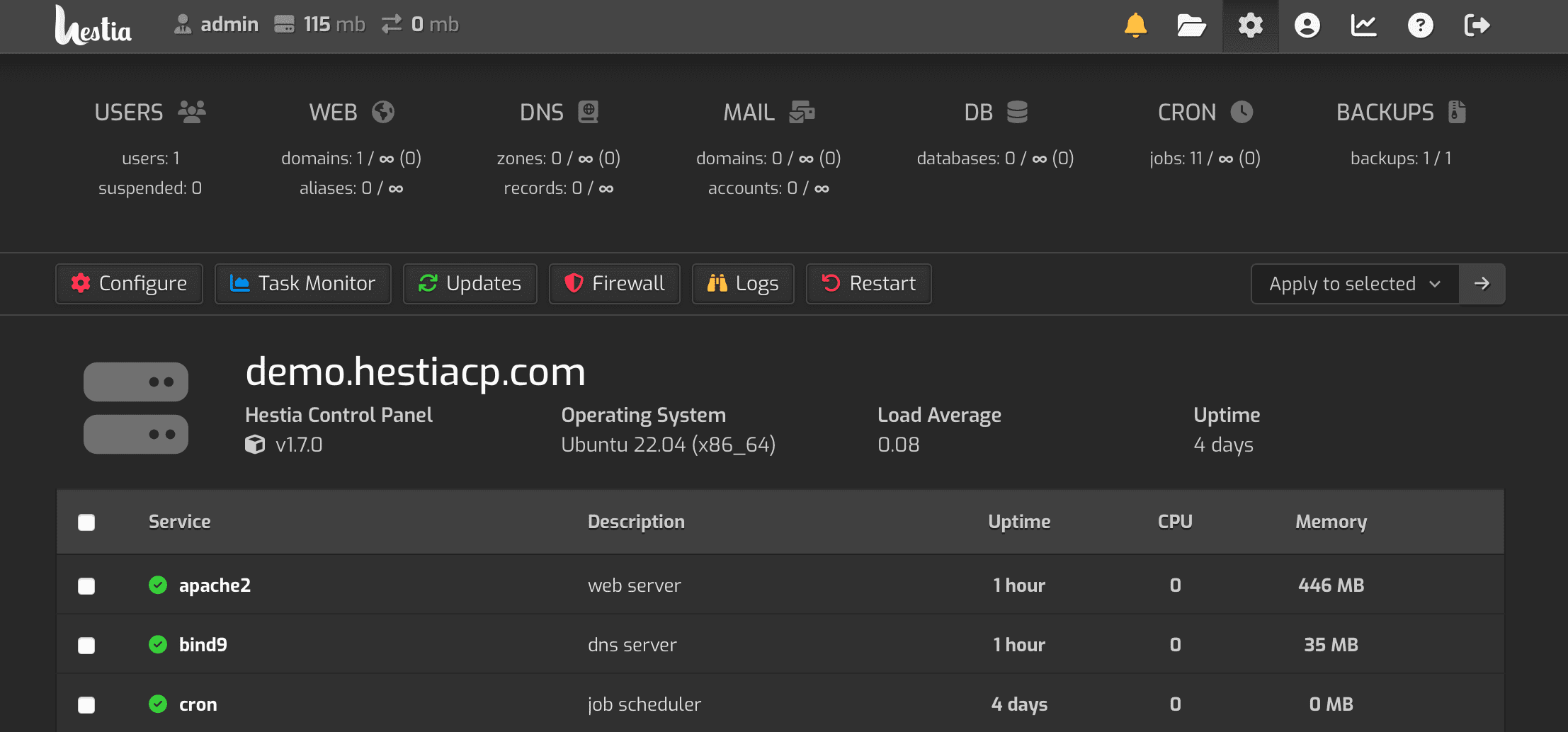
Lightweight and powerful control panel for the modern web
Latest stable release: Version 1.9.3 | View Changelog
HestiaCP.com |
Documentation |
Forum



Welcome!
Hestia Control Panel is designed to provide administrators an easy to use web and command line interface, enabling them to quickly deploy and manage web domains, mail accounts, DNS zones, and databases from one central dashboard without the hassle of manually deploying and configuring individual components or services.
Donate

Bitcoin : bc1q48jt5wg5jaj8g9zy7c3j03cv57j2m2u5anlutu
Ethereum : 0xfF3Dd2c889bd0Ff73d8085B84A314FC7c88e5D51
Binance: bnb1l4ywvw5ejfmsgjdcx8jn5lxj7zsun8ktfu7rh8
Smart Chain: 0xfF3Dd2c889bd0Ff73d8085B84A314FC7c88e5D51
Features and Services
- Apache2 and NGINX with PHP-FPM
- Multiple PHP versions (5.6 - 8.4, 8.3 as default)
- DNS Server (Bind) with clustering capabilities
- POP/IMAP/SMTP mail services with Anti-Virus, Anti-Spam, and Webmail (ClamAV, SpamAssassin, Sieve, Roundcube)
- MariaDB/MySQL and/or PostgreSQL databases
- Let's Encrypt SSL support with wildcard certificates
- Firewall with brute-force attack detection and IP lists (iptables, fail2ban, and ipset).
Supported platforms and operating systems
- Debian: 12, 11
- Ubuntu: 24.04 LTS, 22.04 LTS, 20.04 LTS
NOTES:
- Hestia Control Panel does not support 32 bit operating systems!
- Hestia Control Panel in combination with OpenVZ 7 or lower might have issues with DNS and/or firewall. If you use a Virtual Private Server we strongly advice you to use something based on KVM or LXC!
Installing Hestia Control Panel
- NOTE: You must install Hestia Control Panel on top of a fresh operating system installation to ensure proper functionality.
While we have taken every effort to make the installation process and the control panel interface as friendly as possible (even for new users), it is assumed that you will have some prior knowledge and understanding in the basics how to set up a Linux server before continuing.
Step 1: Log in
To start the installation, you will need to be logged in as root or a user with super-user privileges. You can perform the installation either directly from the command line console or remotely via SSH:
ssh root@your.server
Step 2: Download
Download the installation script for the latest release:
wget https://raw.githubusercontent.com/hestiacp/hestiacp/release/install/hst-install.sh
If the download fails due to an SSL validation error, please be sure you've installed the ca-certificate package on your system - you can do this with the following command:
apt-get update && apt-get install ca-certificates
Step 3: Run
To begin the installation process, simply run the script and follow the on-screen prompts:
bash hst-install.sh
You will receive a welcome email at the address specified during installation (if applicable) and on-screen instructions after the installation is completed to log in and access your server.
Custom installation
You may specify a number of various flags during installation to only install the features in which you need. To view a list of available options, run:
bash hst-install.sh -h
Alternatively, You can use https://hestiacp.com/install.html which allows you to easily generate the installation command via GUI.
How to upgrade an existing installation
Automatic Updates are enabled by default on new installations of Hestia Control Panel and can be managed from Server Settings > Updates. To manually check for and install available updates, use the apt package manager:
apt-get update
apt-get upgrade
Issues & Support Requests
- If you encounter a general problem while using Hestia Control Panel and need help, please visit our forum to search for potential solutions or post a new thread where community members can assist.
- Bugs and other reproducible issues should be filed via GitHub by creating a new issue report so that our developers can investigate further. Please note that requests for support will be redirected to our forum.
IMPORTANT: We cannot provide support for requests that do not describe the troubleshooting steps that have already been performed, or for third-party applications not related to Hestia Control Panel (such as WordPress). Please make sure that you include as much information as possible in your forum posts or issue reports!
Contributions
If you would like to contribute to the project, please read our Contribution Guidelines for a brief overview of our development process and standards.
Copyright
"Hestia Control Panel", "HestiaCP", and the Hestia logo are original copyright of hestiacp.com and the following restrictions apply:
You are allowed to:
- use the names "Hestia Control Panel", "HestiaCP", or the Hestia logo in any context directly related to the application or the project. This includes the application itself, local communities and news or blog posts.
You are not allowed to:
- sell or redistribute the application under the name "Hestia Control Panel", "HestiaCP", or similar derivatives, including the use of the Hestia logo in any brand or marketing materials related to revenue generating activities,
- use the names "Hestia Control Panel", "HestiaCP", or the Hestia logo in any context that is not related to the project,
- alter the name "Hestia Control Panel", "HestiaCP", or the Hestia logo in any way.
License
Hestia Control Panel is licensed under GPL v3 license, and is based on the VestaCP project.